
Hookspot and smee.io compared
smee.io stores nothing on its server, so a webhook that arrives while no client is connected is gone. Hookspot keeps it 14 days on Free to retry, but it needs an account, where smee.io needs none.
Free for 25,000 deliveries a month. No card needed.
| Hookspot | smee.io | |
|---|---|---|
| Price | $0 on Free. Pro is a flat $19 a month, or $190 a year. | $0, with no account |
| Free plan | 25,000 deliveries a month. Past them, your projects lock until you upgrade or the month ends. | No account and no plans |
| History kept | 14 days on Free, 60 days on Pro | None on the server. The channel page keeps what it showed in your browser. |
| Members | 3 on Free, 25 on Pro | No accounts. Anyone with the channel URL can see the payloads sent to it. |
| How it reaches your app | hookspot listen forwards each delivery to the app on your laptop. | A channel URL that streams each payload to smee-client. |
| While the CLI is off | Stores each webhook. Its delivery waits as Skipped until you start the CLI and click Retry. | Payloads go only to connected clients, the channel page included. With none connected, the webhook is gone. |
| Delivery to production | No. Hookspot delivers only to the app on your laptop. | No. smee.io is for development only. |
Checked 8 October 2026 against smee.io's README, GitHub's testing guide and Probot's development docs.
Webhooks wait while the CLI is off
smee.io passes each payload to the clients connected to its channel at that moment and stores none on its server, as its README says. If no client is connected, not even the channel page in a browser, the webhook is gone, unless the sender, the service that sends it, tries again later.
Hookspot stores each webhook first. While hookspot listen is off, its delivery waits as Skipped, for 14 days on Free and 60 on Pro. Start the CLI and click Retry.
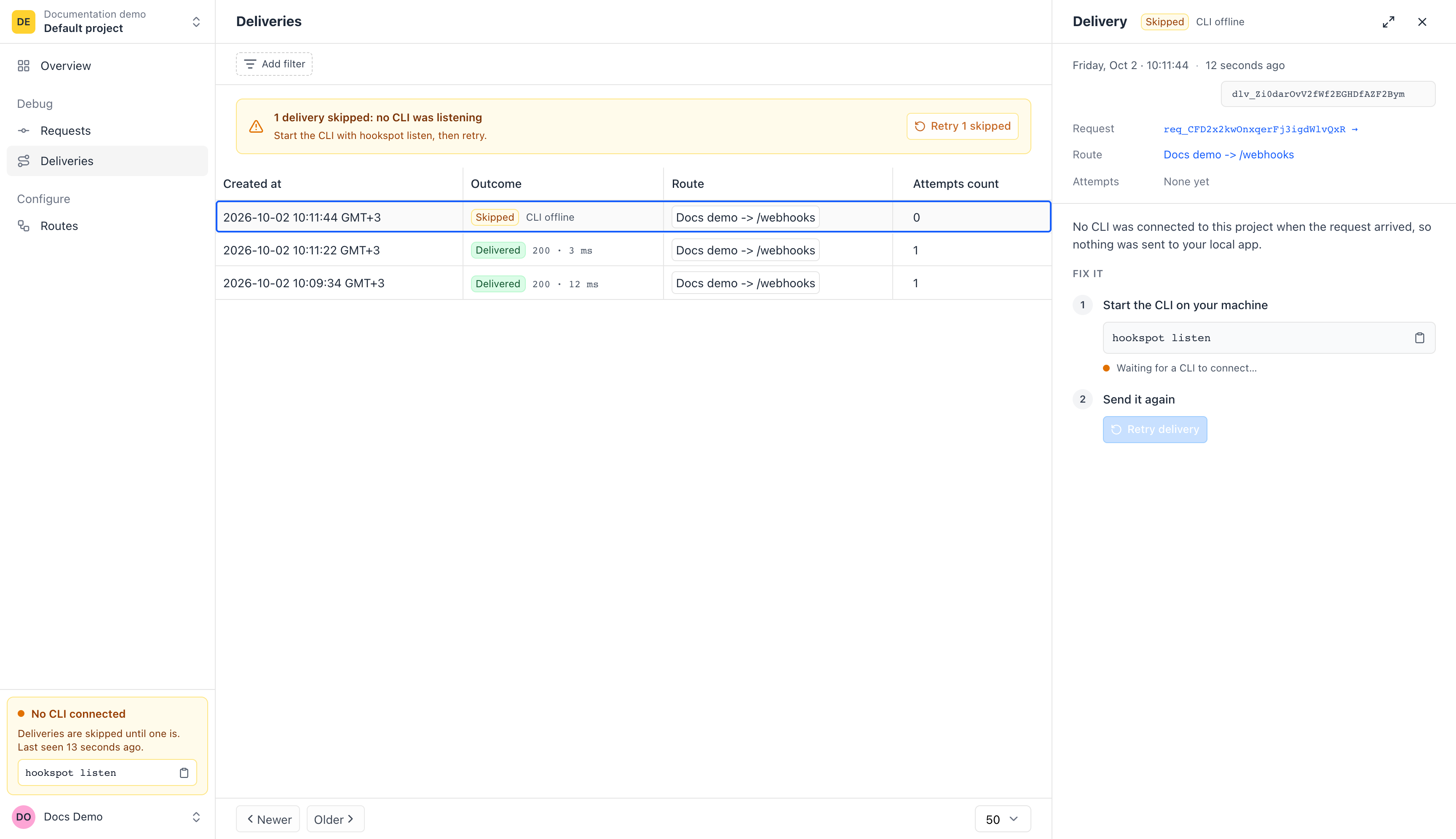
A history you can open later
The smee.io channel page lists the payloads it received while open, saved in your browser, and can send one again. Hookspot keeps each request with its headers and body, and each delivery attempt with your app's answer, for every member of your organization.
Inspect the requestWhen to choose smee.io
- You want it free with no account. Open smee.io and you get a channel URL.
- The guide you follow already uses it, as GitHub's testing guide and Probot's docs do.
- You want to run your own server. smee.io is a small Node.js app you can deploy yourself.
Switching from smee.io
Create a route
Sign up, then name a source and pick the path in your app, like
/webhooks/orders. Hookspot gives the source a webhook URL.Point the sender at the webhook URL
In the sender's webhook settings, replace your smee.io channel URL with it.
Run
hookspot listenInstall the CLI and log in, then run it where you ran
smee.
Follow the quickstartnpm install -g @hookspot/clihookspot loginhookspot listen --forward-to http://localhost:3000
Send your first webhook to your laptop.
Install the CLI with npm (Node.js 18 or newer) or Homebrew.
Hookdeck, webhook.site and smee.io belong to their owners; their facts come from their public pages, checked 8 October 2026.